Posts

Browsing Solaris NFS shares from a Mac

OpenSolaris and Solaris 11 use Apple’s Open-Source Bonjour server mdnsd rather than the Avahi daemon more common  in the Linux world. Unfortunately the OpenSolaris folks never got around to advertising NFS via mdnsd.

obinur ~>dns-sd -R obinur _nfs._tcp. . 2049 path=/export/home/majid
Registering Service obinur._nfs._tcp. port 2049
 path=/export/home/majid
Got a reply for obinur._nfs._tcp.local.: Name now registered and active

My top 100 things to eat in San Francisco

Incomplete,never finished, and probably completely out of date after the aftermath of coronavirus. Check out my foodie map instead (although most likely just as out of date).

  1. The caramelized onion and sesame baguette at Noe Valley Bakery
  2. The chocolate-cherry breakfast bread at Noe Valley Bakery
  3. The combination seafood salad at Swan’s Oyster Bar
  4. The clam chowder at Ferry Plaza Seafood
  5. The mushroom pizza at Delarosa
  6. The salted caramel ice cream at Bi-Rite Creamery
  7. The “crunchy sticks” (sesame-poppyseed-cheese twists) at Esther’s German Bakery (available at Rainbow Grocery and on Thursdays at the Crocker Galleria)
  8. The El Rey chocolate toffee semifreddo at Bix (seasonal)
  9. The pistachio macaroons at Boulette’s Larder
  10. The burnt caramel and chocolate covered hazelnuts at Michael Recchiuti
  11. The chocolate feuilletine cake at Miette
  12. The belly buster burger at Mo’s Grille
  13. The hazelnut hot chocolate at Christopher Elbow
  14. The princess cake at Schubert’s Bakery
  15. The ricciarellis (soft bitter-almond macaroons) at Arizmendi
  16. The Charlemagne chocolate feuilletine cake and chocolate chip financiers at Charles Chocolates, when they have them
  17. The chocolate hazelnut tarts at Tartine
  18. The croissant at Tartine
  19. The caramelized hazelnut financier at Craftsman and Wolves
  20. The bordeaux cherry ice cream at Swensen’s, in a cone and dipped in chocolate (the ice cream itself, not the cone)
  21. The flatbread at Universal Café
  22. The Umami truffle burger
  23. Captain Mike’s smoked tuna (Ferry Plaza farmer’s market)
  24. The mushroom empañadas at El Porteño
  25. The Tcho chocolate liquid nitrogen ice cream at Smitten
  26. The macarons at Chantal Guillon
  27. Pine nut Bacetti (Howard & 9th)
  28. The Atomica pizza at Gialina’s
  29. The salted hazelnut and chocolate shortbread at Batter Bakery
  30. The chocolate velvet cupcake at Kara’s Cupcakes
  31. The lobster roll at Woodhouse Fish Co.
  32. The gianduja and pistachio at Coletta Gelato
  33. The croissants and pains au chocolat at Arsicault (Arguello & Clement)
  34. The lasagna served bubbling hot from the oven at Pazzia
  35. The wild mushroom benedict at Mission Beach Café
  36. The farm egg ravioli at Cotogna
  37. The cioppino (spicy tomato-fish stew) at The Tadich Grill
  38. The sada (plain) dosa at Dosa Fillmore
  39. The French and Fries burger at Roam Artisan Burgers
  40. The lasagna at Trattoria di Vittorio
  41. The oyster fish & chips at Pacific Catch
  42. The croissants and kouingn amann at B Pâtisserie
  43. The Gianduja (chocolate hazelnut mousse) cake at Café Madeleine
  44. The funghi misti (wild mushroom) pizza at Beretta
  45. The pistachio ice-cream at Marco Polo
  46. The crab cioppino at Sotto Mare
  47. The foccacia at Liguria Bakery
  48. The almond cookies at Victoria Pastry Co.
  49. The Grandma Mary’s pizza at Slice House
  50. Pretty much everything at Hook Fish Co.
  51. Hand-made pasta at A Mano
  52. Hand-made pasta at Barzotto, specially the pappardelle with braised beef ragu if they have it
  53. The Belgian fries with dips, served in a cone, at Frjtz
  54. The daily ice cream flavors at Mr & Mrs. Miscellaneous
  55. The deli sandwiches at Cheese Plus
  56. The deli sandwiches at Blue Fog Market
  57. The deli sandwiches at Canyon Market
  58. The deli sandwiches at Le Beau Mob Hill
  59. The deli sandwiches at The Sentinel
  60. Brunch at Petit Crenn
  61. The sandwiches at B To Go, offshoot of B Pâtisserie
  62. The sandwiches at Rhea’s, on Valencia
  63. The quiches and pot pies at Café Madeleine
  64. The ice cream at Humphry Slocombe

Migrating to Hugo

I have been meaning to move away from Wordpress to a static site generator for a very long time, due to:

  • The slowness of WP, since every page request makes multiple database calls due to the spaghetti code nature of WP and its plugin architecture. Caching can help somewhat, but it has brittle edge cases.
  • Its record of security holes. I mitigated this somewhat by isolating PHP as much as possible.
  • It is almost impossible to follow front-end optimization best-practices like minimizing the number of CSS and JS files because each WP plugin has its own

My original plan was to go with Acrylamid, but about a year ago I started experimenting with Hugo. Hugo is blazing fast because it is implemented in Go rather than a slow language like Python or Ruby, and this is game-changing. Nonetheless, it took me over a year to migrate. This post is about the issues I encountered and the workflow I adopted to make it work.

Wordpress content migration

There is a migration tool, but it is far from perfect despite the author’s best efforts, mostly because of the baroque nature of Wordpress itself when combined with plugins and an old site that used several generations of image gallery technology.

Unfortunately, that required rewriting many posts, specially those with photos or embedded code.

Photo galleries

Hugo does not (yet) support image galleries natively. I started looking at the HugoPhotoSwipe project, but got frustrated by bugs in its home-grown YAML parser that broke round-trip editing, and made it very difficult to get galleries with text before and after the gallery proper. The Python-based smartcrop for thumbnails is also excruciatingly slow.

I wrote hugopix to address this. It uses a simpler one-way index file generation method, and the much faster Go smartcrop implementation by Artyom Pervukhin.

Broken asset references

Posts with photo galleries were particularly broken, due to WP’s insistence on replacing photos with links to image pages. I wrote a tool to help me find broken images and other assets, and organize them in a more rational way (e.g. not have PDFs or source code samples be put in static/images).

It also has a mode to identify unused assets, e.g. 1.5GB of images that no longer belong in the hugo tree as their galleries are moving elsewhere.

Password-protected galleries

I used to have galleries of family events on my site, until an incident where some Dutch forum started linking to one of my cousin’s wedding photos and making fun of her. At that point I put a pointed error message for that referrer and controlled access using WP’s protected feature. That said, private family photos do not belong on a public blog and I have other dedicated password-protected galleries with Lightroom integration that make more sense for that use case, so I just removed them from the blog, shaving off 1.5GB of disk in the bargain.

There are systems that can provide search without any server component, e.g. the JavaScript-based search in Sphinx, and I looked at some of the options referenced by the Hugo documentation like the Bleve-based hugoidx but the poor documentation gave me pause, and I’d rather not run Node.js on my server as needed by hugo-lunr.

Having recently implemented full-text search in Temboz using SQLite’s FTS5 extension, I felt more comfortable building my own search server in Go. Because Hugo and fts5index share the same Go template language, this makes a seamless integration in the site’s navigation and page structure easy.

Theme

There is no avoiding this, moving to a new blogging system requires a rewrite of a new theme if you do not want to go with a canned theme. Fortunately, Hugo’s theme system is sane, unlike Wordpress’, because it does not have to rely on callbacks and hooks as much as with WP plugins.

One pet peeve of mine is when sites change platform with new GUIDs or permalinks in the RSS feeds, causing a flood of old-new articles to appear in my feed reader. Since I believe in showing respect to my readers, I had to avoid this at all costs, and also put in place redirects as needed to avoid 404s for the few pages that did change permalinks (mostly image galleries).

Doing so required copying the embedded RSS template and changing:

<guid>{{ .Permalink }}</guid>

to:

<guid isPermaLink="false">{{ .Params.rss_guid | default .Permalink }}</guid>

The next step was to add rss_guid to the front matter of the last 10 articles in my legacy RSS feed.
How big can a panorama get?

I use the Kolor AutoPano Giga panorama-stitching software, recently acquired by GoPro, but I have yet to produce a gigapixel panorama like those they pioneered. This brings up an interesting question: given a camera and lens, what would the pixel size of the largest 360° stitched panorama be?

Wikipedia to the rescue: using the formula for the solid angle of a pyramid, the full panorama size of a camera with m megapixels on a sensor of a x b using a focal length of f would be:

m * π / arctan(ab / 2f / sqrt(4f2 + a2 + b2))

For single-strip panoramas of height h (usually a or b), the formula would be:

m * π * h / 2f / arctan(ab / 2f / sqrt(4f2 + a2 + b2))

(this applies only to rectilinear lenses, not fisheyes or other exotics).

Here is a little JavaScript calculator to apply the formula (defaults are for the Sony RX1RII, the highest resolution camera I own):

MP
mm actual 35mm equivalent

MP
MP
MP

The only way I can break through the gigapixel barrier with a prime lens is using my 24MP APS-C Fuji X-T2 with a 90mm lens.

Update (2020-01-21):

Now I could reach 171 gigapixels with my Nikon Z7 and the Nikkor 500mm f/5.6 PF.

Update (2021-01-30):

There was an error in the JavaScript that implements the calculator, it used 4f instead of 4f2, and for telephoto focal lengths, the difference is dramatic. Thanks to users ZS360 and GerladDXB at DPReview for pointing out my error.

Scanner group test

TL:DR Avoid scanners with Contact Image Sensors if you care at all about color fidelity.

Vermeer it is not

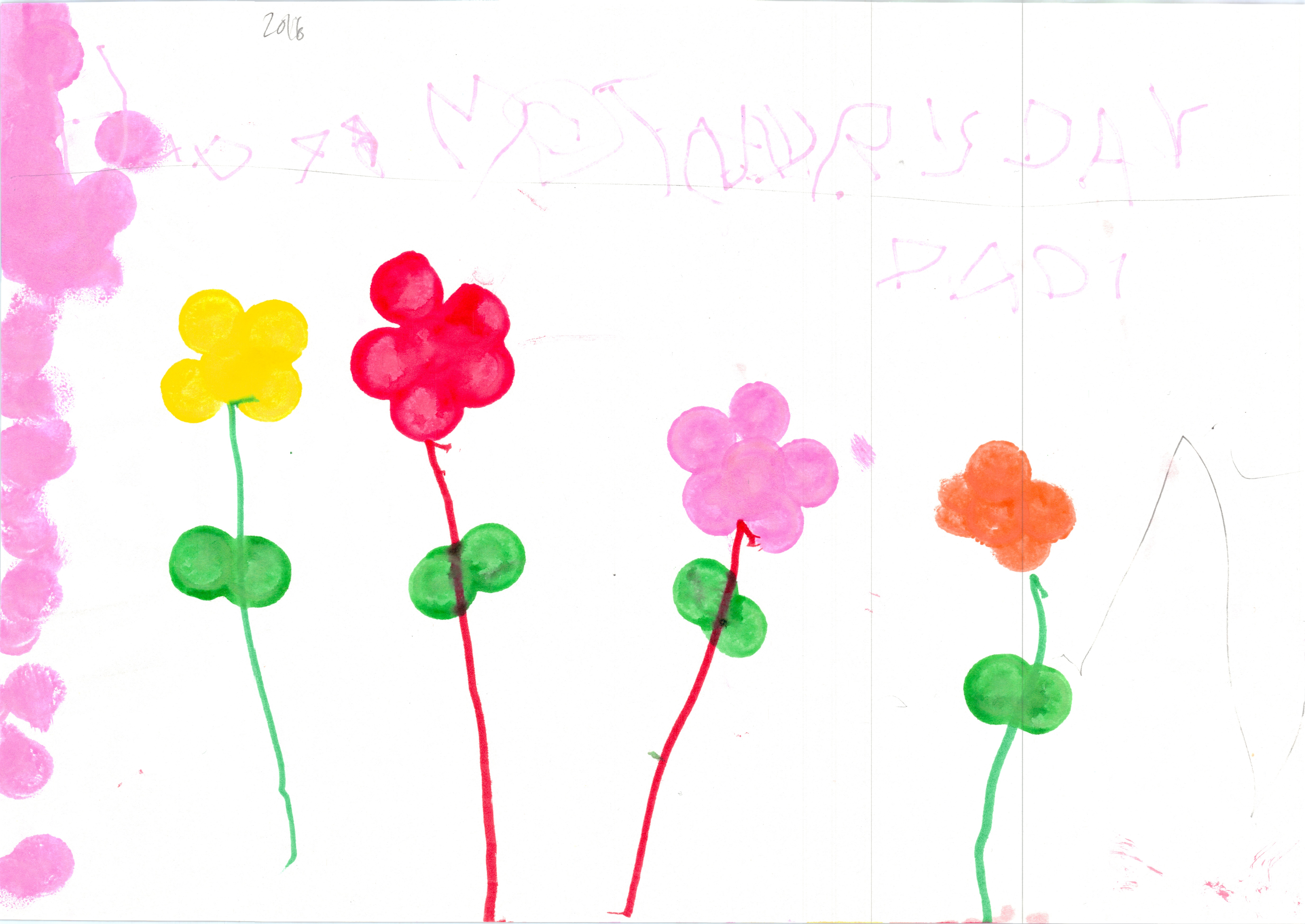
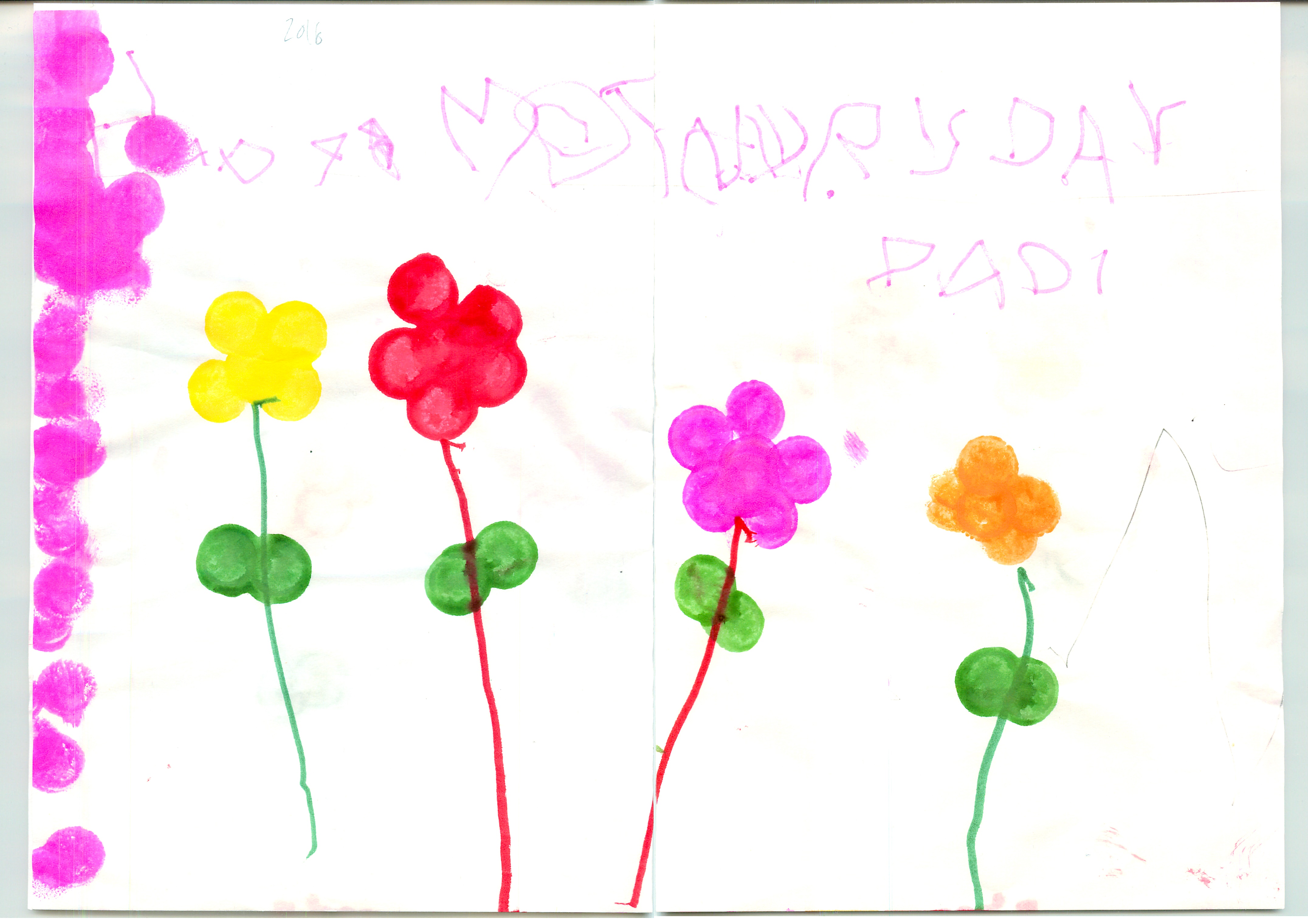
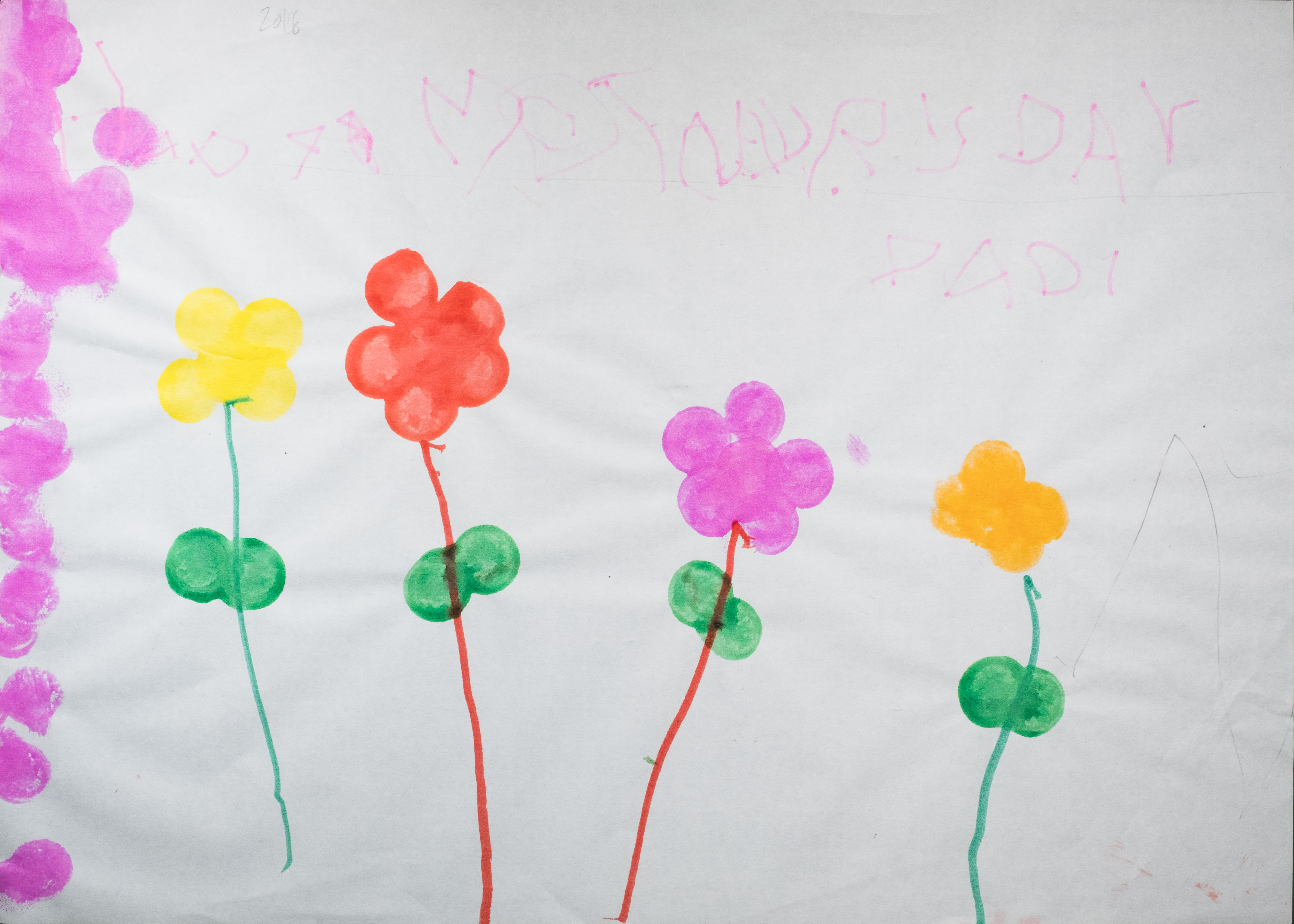
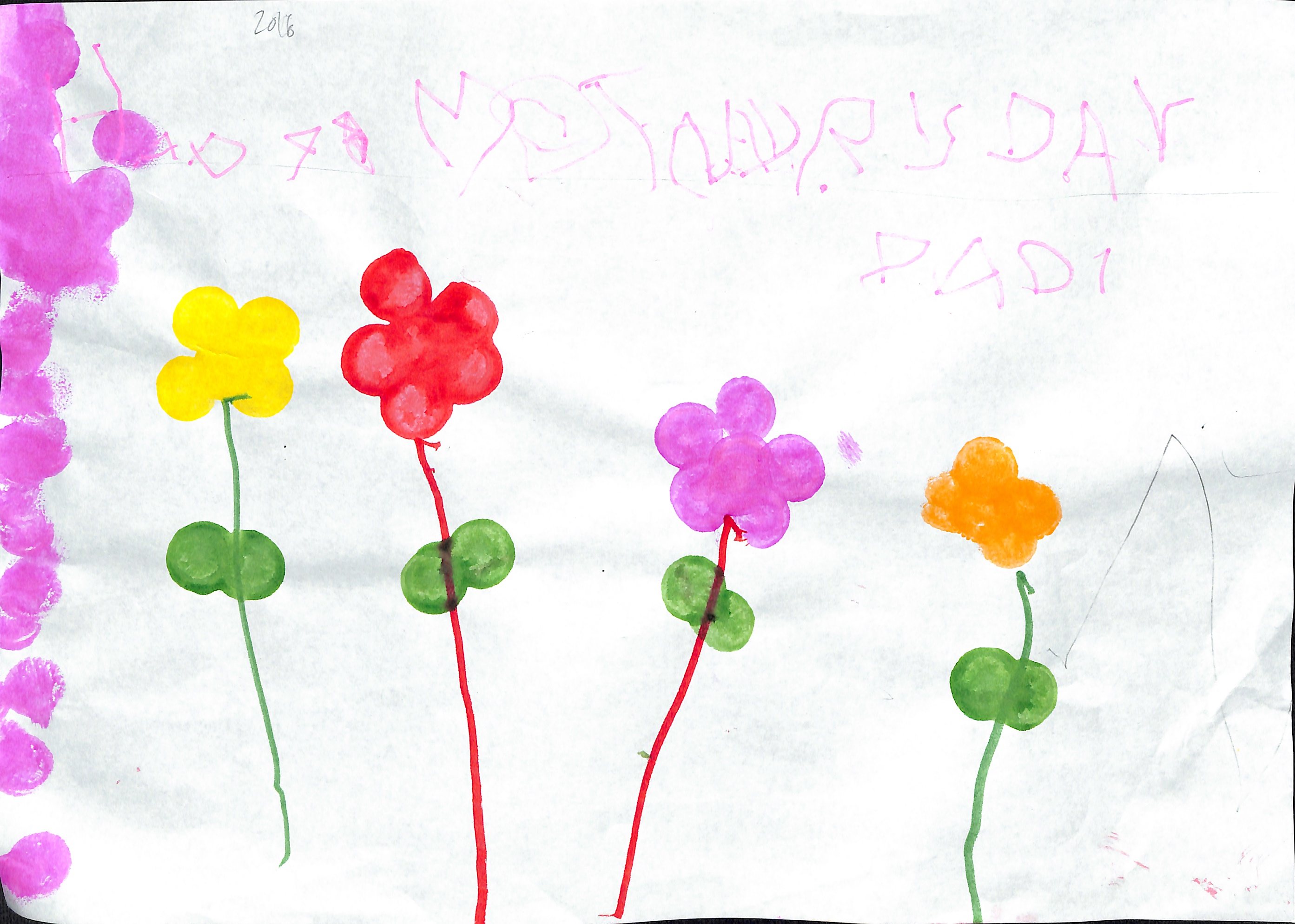
After my abortive trial of the Colortrac SmartLF Scan, I did a comparative test of scanning one of my daughter’s A3-sized drawings on a number of scanners I had handy.

Scanner Sensor Scan
Colortrac SmartLF Scan CIS ScanLF.jpg
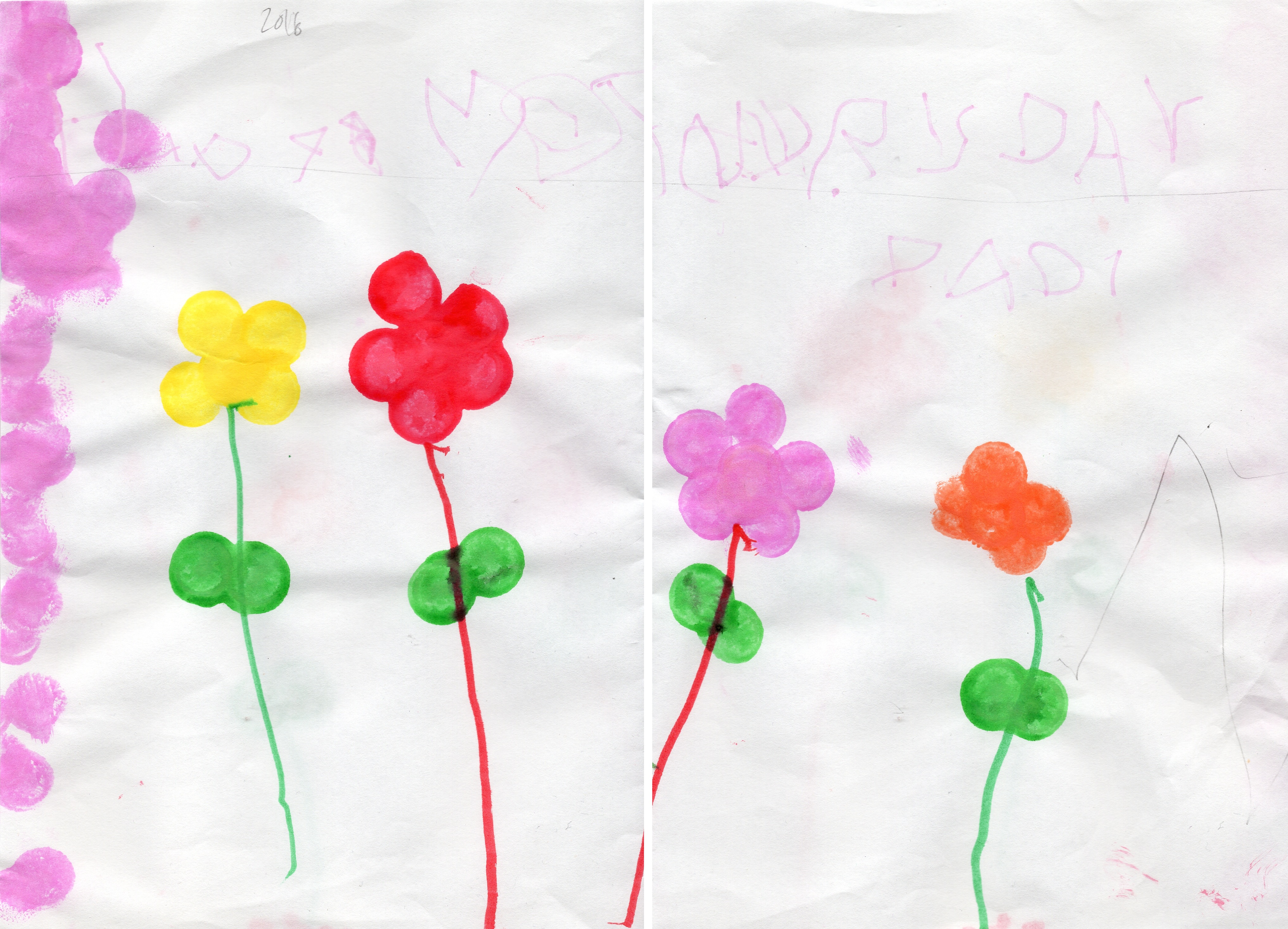
Epson Perfection Photo V500 Photo (manually stitched) CCD Epson_V500.jpeg
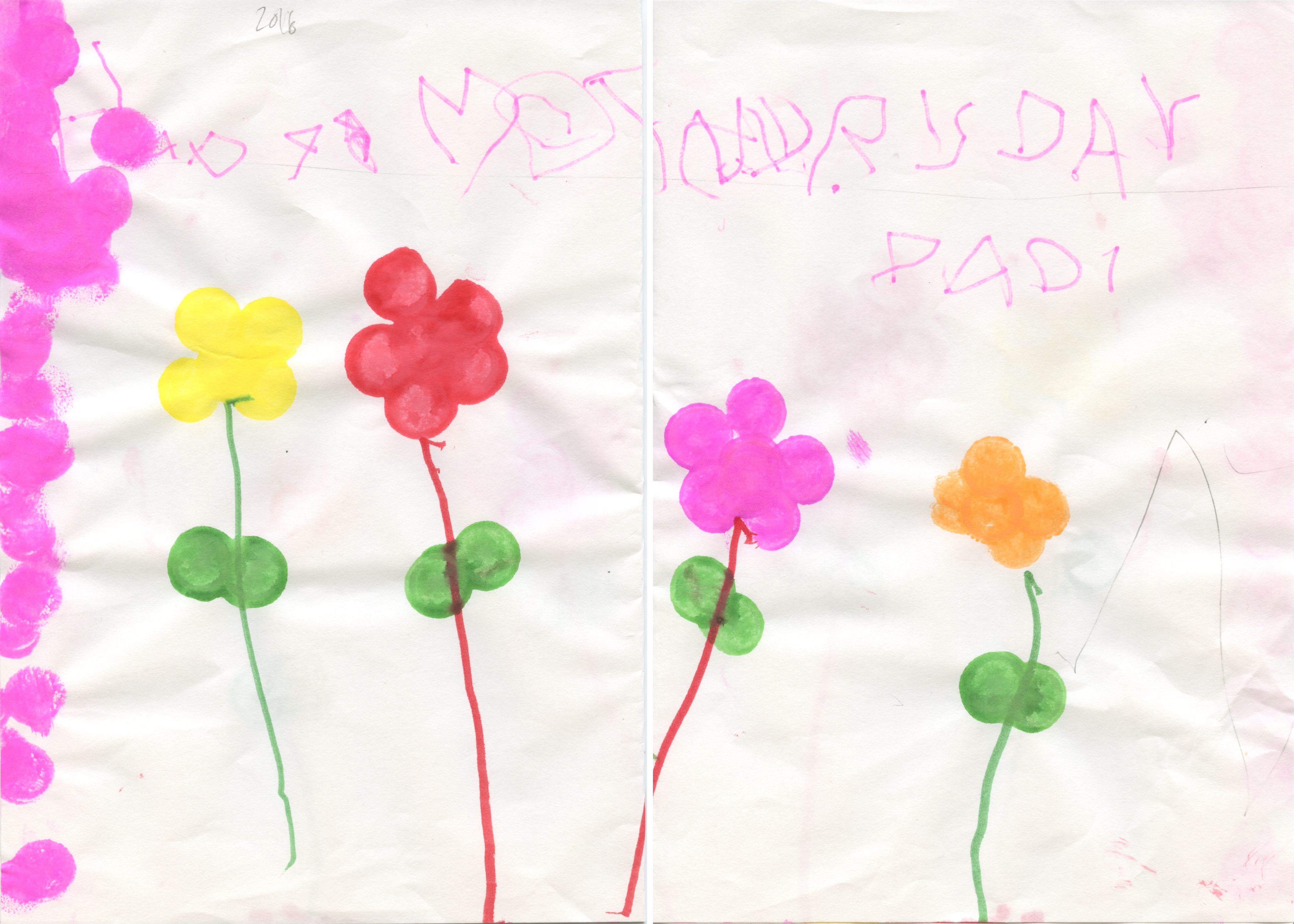
Epson Perfection V19 (manually stitched) CIS Epson_V19.jpg
Fujitsu ScanSnap S1500M (using a carrier sheet and the built-in stitching) CCD S1500M_carriersheet.jpg
Fujitsu ScanSnap SV600 CCD SV600.jpg
Fuji X-Pro2 with XF 35mm f/1.4 lens, mounted on a Kaiser RS2 XA copy stand with IKEA KVART 3-spot floor lamp (CCT 2800K, a mediocre 82 CRI as measured with my UPRtek CV600) CMOS X-Pro2.jpg

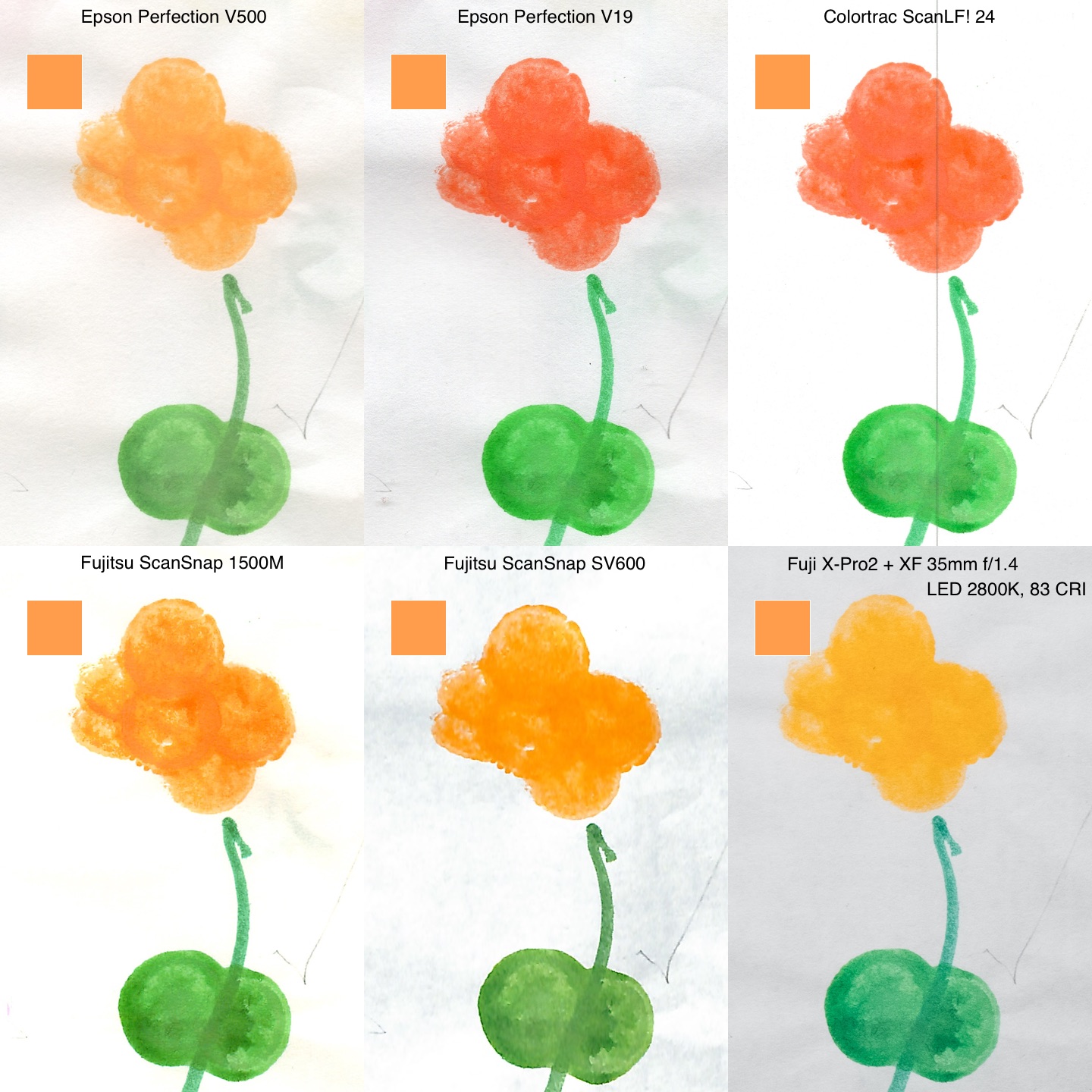
I was shocked by the wide variance in the results, as was my wife. This is most obvious in the orange flower on the right.

Comparison

I scanned a swatch of the orange using a Nix Pro Color Sensor (it’s the orange square in the upper right corner of each scan in the comparison above). When viewed on my freshly calibrated NEC PA302W SpectraView II monitor, the Epson V500 scan is closest, followed by the ScanSnap SV600.

The two scanners using Contact Image Sensor (CIS) technology yielded dismal results. CIS are used in low-end scanners, and they have the benefit of low power usage, which is why the only USB bus-powered scanners available are all CIS models. CIS sensors begat the CMOS sensors used by the vast majority of digital cameras today, superseding CCDs in that application, I would not have expected such a gap in quality.

The digital camera scan was also quite disappointing. I blame the poor quality of the LEDs in the IKEA KVART three-headed lamp I used (pro tip: avoid IKEA LEDs like the plague, they are uniformly horrendous).

I was pleasantly surprised by the excellent performance of the S1500M document scanner. It is meant to be used for scanning sheaves of documents, not artwork, but Fujitsu did not skimp and used a CCD sensor element, and it shows.

Pro tip: a piece of anti-reflective Museum Glass or equivalent can help with curled originals on the ScanSnap SV600. I got mine from scraps at a framing shop. I can’t see a trace of reflections on the scan, unlike on the copy stand.

Update (2018-10-14):

Even more of a pro tip: a Japanese company named Bird Electron makes a series of accessories for the ScanSnap line, including a dust cover for the SV600 and the hilariously Engrish-named PZ-BP600 Book Repressor, essentially a sheet of 3mm anti-reflection coated acrylic with convenient carry handles. They are readily available on eBay from Japanese sellers.